
See exactly where your connection slows down.
Jimping is a free ping plotter and constant traceroute for Windows. It watches every hop between you and a host, flags the one that adds the delay, and keeps a history you can play back later.
What it does
One small exe, dark by default, starts instantly. Everything runs locally on your PC.
Every hop, every second
Continuous traceroute with loss, latency and jitter per hop, and a 10 minute heatmap that shows where and when trouble starts.
Finds the slow link
Added latency shows how much each hop adds. Routers that are only slow to answer pings are recognized, so they are not blamed.
Route change detection
Re-traces the path on a schedule you choose and logs every change, with sound and taskbar alerts.
Watch lists
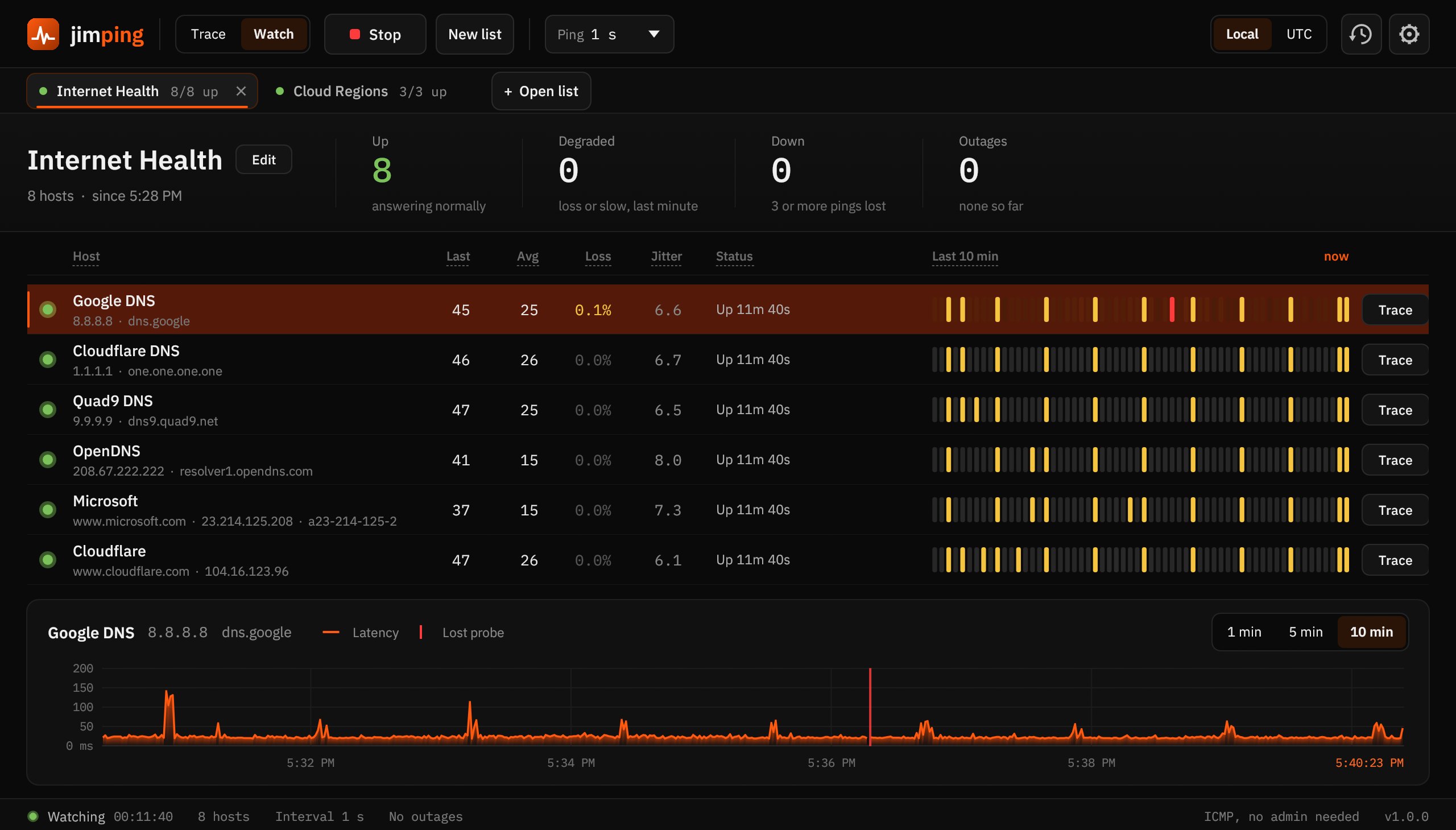
Paste a list of IPs or host names, save it, and ping them all. Up, degraded and down at a glance, with outage alerts.
Play it back
Every probe is saved to CSV. Open any session later and replay it at up to 600 times speed, outages marked on the timeline.
Tabs for everything
Run several traces and several watch lists at once. Local or UTC time, chart windows from 1 to 10 minutes.
Requirements
- Windows 10 or 11, 64 bit
- No admin rights: uses the Windows ICMP API
- The installer installs per user by default; the portable zip runs from any folder
- Settings live in
%APPDATA%\Jimping, history in%LOCALAPPDATA%\Jimping\History
First launch
Jimping is new, so Windows SmartScreen may say it "protected your PC" the first time. Click More info, then Run anyway. Check the download against the SHA-256 below if you want to be sure it is the original file.
Checksums
SHA-256 for this version. In PowerShell: Get-FileHash .\Jimping-1.0.0-setup.exe